Preparing for Chocolate

So here’s my list:

  • Dick Taylor
  • Amano
  • Divine
  • Moonstruck
  • Lake Champlain
  • Valrhona
  • Theo
  • Vosges
  • Jomart
  • John Kira’s
  • Maison Bouche

Those are the high-end chocolates that will become the basis for a future article about the phenomenal growth of high-end chocolates. My question to you: what else should be on this list? Which high-end chocolate bars have I missed–the ones that you see a little too often at Zabar’s, Fairway, Trader Joe’s, Whole Foods Market, Wegman’s, and other foodie emporia.

While you’re munching on that question (which I hope you will answer by adding a comment below), I suppose you’ll want to know that the third edition of the very popular book, The True History of Chocolate, has been published. Written by Sophie D. and Michael D. Coe, it’s been republished since the mid-1990s.

timthumb.php

According to the authors, “cocao is singularly difficult to grow. With few exceptions, it refuses to bear fruit outside a band 20 degrees north and 20 degrees south of the equator. Nor is it happy within this band of tropics if the altitude is so high as to result in temperatures that fall below 60 degrees Fahrenheit.”

I wish I could report that chocolate offers specific psychological or medical benefits, but the authors, whose research is extensive, discount these theories. Still, “some doctors claim it to be an antidepressant.”

As for the early days of chocolate, much of this history is related to the stories of the Maya and Aztec people, and the authors provide lavish accounts of their cultures, and the role of chocolate within those societies–very nearly 100 pages of information, stories, illustrations, and more.

I’ve always been skeptical of the phrase, “Columbus discovered America” but Columbus was, in fact, the very first European to encounter the cacao bean which was considered quite valuable by the natives. Apparently, in 1502, Columbus took a wrong turn, ended up near what we call Guanaja, and took possession of goods, including what Ferdinand Columbus called “almonds”–“They seemed to hold these almonds at a great price,” he wrote, “for when they were brought on board ship together with their goods, I observed that when any of these almonds fell, they all stopped to pick it up as if an eye had fallen.” As the authors ponder who might have been the very first European to actually taste chocolate, it seems certain that the first encounter was sometime in the first half of the 16 century, and that over the course of the next century, chocolate had become very popular among those in the Spanish court, most likely the result of many interactions with their New World explorations. Gradually, chocolate made its way into the noble houses of Italy and France, and eventually, England, where it was the most popular drink until the new hot beverage, coffee, took its place. Around 1700, both chocolate and coffee were routinely served in the coffee houses so despised by royalty because they were (probably quite rightly) as hotbeds of political conversation.

For most of its 28-century existence, chocolate was enjoyed as a hot beverage, and sometimes, as a cold one. It’s only recently that chocolate has been offered in its current form, a solid. The modern chocolate industry began in England with a Quaker entrepreneur named John Fry. They became quite rich as the sole supplier to her majesty’s navy, at the time a formidable force at the core of the British Empire. The rival: another Quaker entrepreneur named John Cadbury, who owned a coffee-and-tea shop in Birmingham. They served ” traditional chocolate drink” at the shop, eventually expanded their operation, and won the patronage of  Queen Victoria. Cadbury was an aggressive businessman, and a clever one. In 1868, Cadbury introduced the first “chocolate box,” decorated with “a painting of his young daughter Jessica holding a kitten in her arms.” Cadbury was also responsible for the first candy box specifically made for Valentine’s Day. All of this transpired in at the heart of England’s Victorian era. Bear in mind that the Quakers despised alcohol–so chocolate was quite the appropriate substitute. At about the same time, the Swiss chocolate industry takes shape with Mr. Lindt and later, Mr. Tobler (think: Toblerone) rising the level of quality ((this time, Swiss Calvinists). In the U.S., the chocolate entrepreneur was “pious Pennsylvania Mennonite” Milton Hershey who concerned himself with production efficiency (think: Henry Ford, a contemporary), and mass production.

So here we are today, and I am beginning to prepare for an article about the world’s best chocolate bars. One certain model will be Valrhona, a small Swiss company with just 150 employees that supplied the restaurant trade, but not consumers, with the some of the world’s finest chocolate. Their best? In the 1980s, it was called “Guanaja 1502” and now, you know why.

Now that you know more than you may have wanted to know about chocolate, please lend a hand and comment on your favorites, especially those high-end bars that no reasonable person would buy or eat in quantity.

Let’s give unreasonable a try.

Valrhona? Just based upon this web advertisement, I'm sold. (And you?)

Valrhona? Just based upon this web advertisement, I’m sold. (And you?)
Tools for the Real (Non-Digital) World

Micra

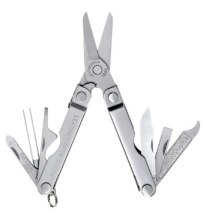
Leatherman Micra, described below

For several years, I’ve carried a small Leatherman everywhere I go. When I lost it for the second time (first time: airport security; second time, no idea where it went), I decided to learn more about the whole “multi-tool” concept.

I suppose the story begins with the Swiss Army Knife, which was, when I was eleven years old, one of the coolest things that you could carry in your pocket. In those days, a good blade and a few accessories was useful, especially during Boy Scout Camp. For a long time, I didn’t carry much of anything besides a nail clipper, but that changed with serious business travel, and the inevitable need for a small pair of pliers, a knife, a pair of tweezers for a miscellany of small tasks that were completely unimportant until they became, you know, essential.

Gerber's Epic: drop pointed, sheathed, and serrated. Very popular.

Gerber’s Epic: drop pointed, sheathed, and serrated. Very popular.

As I began exploring possible replacements for my lost Leatherman Micra, I discovered a small sub-culture of multi-tool fans. I was easily engaged at Eastern Mountain Sports and L.L. Bean stores as the salesperson and I obsessed about the various features of contemporary multi-tools. I found multitool.org, a fan website that includes reviews of multi-tools made by SOG, Wegner, Victorinox, Leatherman, and perhaps most intriguing, Gerber. When the conversation turned to Gerber, each salesperson spoke with a kind of reverence–but not for their multi-tools, I later learned. Gerber is a distinguished maker of small knives, and, in case you’ve been spending a little too much time staring at a computer screen, you probably know that knives have become very popular. Gerber’s new hot knife is part of their Survival series–it’s called the Bear Grylls. You’ll be happy to know that Gerber also sells a multi-knife kit that they call the Apocalypse Survival Kit; it contains seven knives, including a small machete, and it costs about $350.

My needs are more modest. I need a small tool to carry everywhere, and a medium sized tool to carry most places. Sure, I use a pocket knife from time to time, but for me, a machete would probably be, well, overkill. As I asked around–I think I interviewed a dozen salespeople who knew their tools for this story–every single person recommended Leatherman. Why? They’re built beautifully, they last forever, and they get the job done. They’re also designed so that they’re easy to use, properly balanced, and less likely to be the cause of an accident due to odd placement of blades, openers or closures (I had some scary experiences in stores with lesser designs from other companies).

Leatherman-XE6Despite the fact that my son pokes fun, I do like my purple-colored (yes, they come in colors) Leatherman Juice XE6. Look around the Leatherman website and you’ll find multi-tools of every size and shape, including some large enough to hang off a real tool belt, and some small enough for a keychain. The Juice is about the size of a good Swiss Army Knife, and although it’s listed as “Pocket Size,” it may be a little heavy for the average pocket. There are several Juice models. The XE6 has more tools and accessories than most. Here’s the rundown:

  • a pair of needle-nose pliers that double as both regular gripping pliers and also as a small wire cutter/stripper;
  • a 2 1/2 inch pocket knife with a blade that’s long enough for many small tasks;
  • a serrated knife that doubles as a small saw; a very small pair of scissors that turns out to be surprisingly versatile;
  • a wood saw, useful for small jobs;
  • a diamond file that I’ve used for everything from fingernails to unsmooth furniture corners (I know it can handle more rugged jobs, too);
  • an unlikely quartet of screwdriver heads (the body of the multi-tool doubles as shank and handle), including extra small, small, medium, and Philips;
  • a corkscrew, bottle opener, and can opener;
  • and an awl, which is more useful than it may seem upon first glance.

By Leatherman’s count, there are 18 tools on this 6.4 ounce multi-tool. That’s not quite the most tools on any Leatherman product, but it’s awfully close (there are 21 on the Surge, but it’s much larger and weighs twice as much). There are more than a dozen different Leatherman multi-tool models, and it’s great fun to explore the whole line on their website.

I know that 6 ounces doesn’t sound like much, but there are many times when I just need some basics in a small package. That’s what led me, initially, to the Leatherman Micra, and I’m now using my third one. With lots of useful tools (10 in all) in a very small package (it can hang on a keychain, but the keys usually get in the way), the Micra is large enough to be handled as a useful, practical tool:

  • Scissors
  • Nail file and nail cleaner (you know, the hooky thing at the end of a nail file), plus a small pair of tweezers;
  • A pocket knife (with a 1.6 inch blade)
  • Extra-small, medium, and flat Phillips screwdrivers
  • A ruler with markings etched on the outside of the tool
  • Bottle opener

Overall, my needs are fairly pedestrian, but it’s good to know that I have what I need nearby. I am intrigued by some of the newer tools, but tools are not toys, and there’s no good reason to collect them. Still, the likes of the Skeletool (and similar models from Gerber and others) are intriguing, perhaps for another day.

The Leatherman Skeletool.

The Leatherman Skeletool.

By the way: if you become serious about purchasing, trying to figure out which tool comes as part of which multi-tool becomes mighty confusing. Use the comparison tool and you’ll save yourself a lot of time.

One more thing: for those traveling on airlines, note that the current U.S. TSA policy does not permit sharp objects of any kind. Several months ago, blades of a certain length were okay, but now (probably due to the Boston incident), the rules are again very limited. Just be aware, and check before you fly because your tool maybe confiscated at the security checkpoint.

College Through the Looking Glass

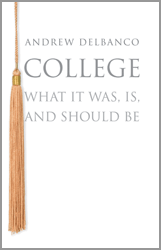
About a hundred years ago, Oxford professor John Alexander Smith addressed the first session of his moral philosophy class as follows: “Gentlemen, nothing that you will learn in the course of yours studies will be of the slightest possible use to you in after life [that is, after college, not after death–HB], save only this: that is you work hard and intelligently, you should be able to deter when a man is talking rot, and that, in my view, is the main, if not the sole, purpose of education.”

j9651Inevitably, author Andrew Delbanco continues: “Americans tend to prefer a two-syllable synonym…for the Angicism, rot–and so we might say that the most important thing one can acquire in college is a well-functioning…” Okay, you get the idea. (Odd that I am  reluctant to spell out B.S. given that the quote comes from a book published by Princeton University. Anyway…)

The book is called College: What It Was, Is, and Should Be, and it’s actually fun to read, not stuffy at all, rather like a good lecture about the dubious history, dubious purpose, and dubious results of a college education, or, if you prefer, as I do and the author does, to consider the dubious and to celebrate the remarkable. Both are present, and have been since the very start. Early in the book, Abigail Adams can be found complaining about the current state of students, professors and education in general–that’s in 1776, but the complaints and criticisms date back to Greek and Roman times, long before our current institutions were a thought in anybody’s mind.


Today, there are about four thousand colleges in the United States. The author has visited about 100 of them, so I respect what he has to say, particularly as he discusses the liberal arts education that would provide, at least in part, the mechanism for the bullshit detector (there, I wrote it!) that is, in part, the reason for going to college in the first place. For a very long while, well, this is best said by Ohio State economics professor Richard Vedder:

with the possible exception of prostitution, teaching is the only profession that has had absolutely no productivity advance in the 2400 years since Socrates.”

A quote from former Johns Hopkins president William Brody is a nice addition:

if you went to a [college] class circa 1900 and you went today, it would look exactly the same, while you went to an automobile plant in 1900 and today, you wouldn’t recognize the place.”

The author is a college professor, and although he’s critical of the industry he clearly adores, he is quite clear on the statistics, and the reasons why college makes sense, worts and all.

Although not completely consistent with importance of a liberal arts education, or a college education generally, a college degree, even a Bachelor’s Degree, is a very good investment: those with a B.A. earn about 60 percent more than those whose resume lacks the degree. This fact leads to another one, and here, we begin to get at the real story of college in America:

if you are a child of a family making more than $90,000 per year, your odds of getting a B.A. by age twenty-four are roughly one in two; if your family’s income is between $60,000 and $90,000, your odds are roughly one in four; if your parents make less than $35,000, your odds are one in seventeen.”

It’s wrong to think about these patterns in isolation. Upscale students attend more selective colleges whose prestigious graduates are funneled into leadership roles in business, law and government. It’s a self-perpetuating system, the engine of social mobility in the United States even in the 21st century.

So that’s one argument in favor of college: economic success. The other argument demands a well-educated citizenry, what Professor Delbanco calls “the incubation of citizenship” as he defends the small group discussion in the above video. Strangely, this is not the argument that legislators focus upon–instead, they tend toward the more practical, and, in the long run, perhaps less significant, concern about the need for a population that understands ideas and makes wise decisions. College has always struggled with that role; those in law school and the like receive these messages and tend to think about these issues, but as for the rest of college students (and the rest of us, including those who have been through a more generalized college experience), not so much.

So here we are with a realist, a professor who seems to understand the arguments from multiple perspectives, stressing “a community of learning” on the one hand and recognizing, when considering a New York Times article, “for every one of those college-bound cars, there are scores of families whose children will be staying home to attend a commuter school without anything resembling traditional college life. Moreover, millions of college-age Americans never get to college in the first place.”

By the time they reach age twenty-six, “fewer than two-thirds of white high school graduates have enrolled in college.” The number is half for blacks, and slightly less for Hispanics. Among students who do enroll, more than a third never finish their degree.

There are so many issues, and often, it’s difficult for the average person to gain traction with many of them. This is precisely the place where a good college professor can make all the difference. And if you can’t afford or can’t quite make it to Princeton this month or this year, well, you (and I) now more fully understand the reason why many universities publish their professors’ best work in book form. Turns out, the book, which is also undergoing attack from every possible direction, remains a darned good idea for a hot sunny afternoon. I now know some things I didn’t know this morning, and I’m thinking about them hours later. Not quite the same as being in the presence of the man, but spending three hours reading about 200 pages of his well-written, well-edited ideas for just $17.95 (less if you buy online) is, simply, a good old-fashioned idea.

Literacy in the Era of the Image

The word literacy finds its roots in the eighteenth-century word literatus, which quite literally means ?one who knows the letters. But it has come to refer to much more than the ability to read an alphabet or other script. We think of literacy today as meaning “proficiency”–or more broadly, the ability to comprehend and to express or articulate.”

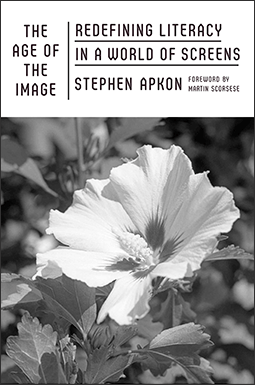
That’s the just the beginning of an interesting book by Stephen Apkon entitled The Age of the Image: Redefining Literacy in a World of Screens. As the title suggests, and as the introduction by director Martin Scorsese illustrates, there is more to 21st century literacy than comfort with the printed word. Apkon directs the Jacob Burns Center for Film and the Media Arts Lab, and so, he spends a fair amount of time thinking about the ways we exchange stories, ideas, and, of course, images.

ageoftheimage_255pxTrying to understand multimedia literacy by reading a book is, of course, absurd, but Apkon does the best he can within the limitations of the printed word. This adventure is made more complicated because of the necessary stops along the way: in order to understand moving images, one must first understand still images, and so, there is the obligatory tour through Civil War-era photography, and so on. I’m geeky on these subjects, so I found these chapters interesting, but the book doesn’t really take off until we get to the chapter about the brain’s responses to visual images, the one that’s called “The Brain Sees Pictures First.” The bottom line message: context is king. Individual images without connection to a story are filtered by the brain and rarely provoke any long-term impact. They may capture attention (the brain is constantly on the lookout for potential danger), but they are quickly and efficiently filtered out and almost always forgotten. Showing portions of Charlie Chaplin’s “City Lights” to an audience, researchers found that “…when you connect images in a fashion that creates a narrative story in a literate way, you elicit powerful responses.”

Apkon further illuminates and magnifies his arguments through extensive conversations with researchers, discussions about the latest MRIs and their ability to measure brain impulses, and considers our image culture from many perspectives. And yet, so much of what he writes, I think we already know from daily experience. We ignore most of the images that we see, but we recall memorable stories. With digital technology, we are as much the creator as the consumer.

Yesterday, at a wedding, I was struck by the number of photographers, and their interaction with the one professional in the room. The pro would set up a shot–a crowd shot of all of the bride and groom’s college alums–and then, he would step back so that twenty other people could take the same picture using their phone/cameras. I’ve become a fan of watching the images that people capture, in real time, on their phones. Often, the results are excellent–the technology takes care of itself so there is no focus or exposure issue (most of the time). Instead, there is only composition, and because everyone see so many images, the composition is often strikingly good.

The interesting theories explored in the first half of the book fade into a discussion of production in the second half. I suppose this is inevitable because, these days, we are all producers, directors, and cinematographers.

That’s the hard part, of course. Here, it’s expressed in book form, but we’re facing the same issue in every classroom, and with every book we read. We’ve become literate consumers, and literate creators. I read a book and then I write about it. I think about what I’ve read, and then I generate additional media. You read what I write, and perhaps, what Stephen Apkon writes, and pass it along to friends where these ideas may take on a life of their own. Memes (old usage) floating around in internet space. Some are images, some are just ideas not yet captured in visual form. Which is the relevant impetus for literacy? Is it the words I wrote so easily by punching buttons on a keyboard without leaving my chair, or is the images that I create by lifting my phone to my eye, pressing just one button to shoot and another to send it to the world? Or is the new proficiency of literacy the ability to discern whether any of this babble is worth even a nanosecond of your time and attention?

(No good way to end this one. Feel free to write your own ending.)

Thoughts on Mobile, Part Three: Connecting Dots 4, 5, 6

Yesterday’s post ran long, so I decided to cut it in half. Here’s the rest of it, or the third in a series of two articles. (Something like that…)

A group video call on Skype.

A group video call on Skype.

Dot #4: Connectivity and Sharing. Here in the 21st century, we demand not only connectivity but sharing of information in real time. We fall short in whiteboard-type environments where we can see ideas and people simultaneously, and when we do, the interaction is sub-par, but this will steadily improve through Skype, Google, and new ventures. All portable devices must connect anywhere, at any time–this is a shortcoming of some apps (Evernote, for example) and some devices (most portable computers, unless a separate wireless hot spot is generated by a nearby cell phone). This is foolish retro-thinking. The next generation of computers, tablets, all devices should include built-in connectivity for WiFi, 3G, 4G, and so on. Fortunately, these devices and their related systems work very well. And, fortunately, the technology is constantly improving to allow more throughput, faster speeds, fewer problems, and increased security. What we don’t have quite yet is a kind of super-DropBox where it’s easy to share any document on any device, regardless of whether it’s in the cloud or on a specific device. VPN (Virtual Private Network) technology resembles a solution, but what we need is a more robust, full-featured, easy-to-use system. I suspect Apple and Google are hard at work developing something to do this job–they’re already on the way with Google Docs and the new iWork set for release later this year.

illo_newworld

Dot #5: Output. This one is confusing. I own an iPad which doesn’t do well in an environment where printed documents are the standard. Most printers won’t talk to a tablet–though some now have email addresses for that purpose (yes, some printers have email addresses–seems confusing, I know). When I was using a portable computer, I often printed documents. With the tablet, I find myself storing documents and reading them on the tablet’s screen. Far less printing. Almost none, in fact. My output is, typically, an email to someone who wants or needs to read something I wrote. I do print some documents for reference, but printed documents are difficult to revise, so I tend to focus on digital copies. The file folder in my briefcase were once filled with paper, but now, not so much. Even handwritten notes are being replaced by the notes that I take on the tablet–when they’re in Evernote, they’re very easily shared with my other devices and with other people via email or shared settings.

Dot #6: Portable. For me, this means the device goes just about everywhere I go. In that regard, the iPhone (any smartphone, really) is a suitable solution, if one with a too-small screen. There is access to web and email, phone, messaging, internet, iWork documents, Evernote, the list goes on. The tablet does not go everywhere because it’s a little too big, even for someone like me who is rarely seen outside my home without a shoulder bag. There’s some minor conflict here about size: the phone ought to be larger, the iPad needs to be both small enough to carry everywhere (the iPad Mini) but large enough to provide a full page of printed material or to create diagrams or word processing documents or spreadsheets or presentations (the iPad full-size model). At first, I was sure I would need a keyboard, so I bought one and thought I’d carry it everywhere. I don’t. In fact, I use the portable keyboard only when I have a lot of writing to do away from home–not so often, as it turns out.

How long does the device need to run between recharges? Eight hours seems pretty reasonable, more is nice.

GoalZero's external solar charger is convenient, but this technology should be built into every portable device.

GoalZero’s external solar charger is convenient, but this technology should be built into every portable device.

Any accessories required, as one might carry with a portable computer? Absolutely not.

One further notion about portability: the device must be easily used anywhere. With an iPad or tablet of sufficient size, that’s anywhere at all, standing, sitting, lying down. With a portable computer, a desktop surface makes the process so much more comfortable–though some people can work with the computer on their lap (I need a fat pillow to do that, and the computer tends to slide around). The tablet can be raised or lowered to adjust for eye position and lighting; this is difficult to do with a portable computer.

Of course, everyone’s needs are different, and some people use their portable device as a power tool. For most users, I suspect this is overkill–just like a gigantic SUV might be for local grocery runs and soccer practice.

What’s next? I think we’ll see keyboards becoming vestigial, and improved touch screens as the standard for portable devices. I know the devices will become faster, contain more storage, offer better screens and longer battery power, and we all know that prices will remain quite low, but will slowly rise. There will be more pocketable devices, and attempts to move away from a traditional flat screen. OLED technology, for example, allows a screen to roll up for storage. This will be the next frontier, worthy because the size of the screen is the key determinant for portability. Once that dot becomes more flexibly defines, all of the other dots line up in support. That’s the longer-term future.

itri-6-inch-color-flexible-amoled-img_assist-300x315

For the shorter-term future, I’d look to combining my tablet and phone into a single device that works and plays nicely with a more powerful computer (which will also evolve) in my home or office.

And what about power? Since they can be charged almost anywhere, I like solar cells. They’re small, flat, and becoming affordable. I also like charging mats. AC adapters are probably unavoidable, but better batteries make them less essential.

Sorry for the long post, and for the multiple parts. This was interesting to write, so I just kept going.

Thoughts on Mobile, Part Two: Connecting Dots

Dot #1: Input. In order to operate any sort of computer, you need to provide it with the information floating around in your brain.

Dot #2: Display. In order to process the information that you’re pouring into the computer, you need to see, hear, or otherwise sense your work-in-progress.

Dot #3: Storage. Whatever you input and display, you need to be able to keep it, and, change it. Also, it would be best if there was a second copy, preferably somewhere safe.

Dot #4: Connection and Sharing. Seems as though every 21st century device needs to be able to send, receive, and share information, often in a collaborative way.

Dot #5: Output. In some ways, this concept is losing relevance. Once displayed, stored and shared, the need to generate anything beyond a screen image is beginning to seem very twentieth century. But it’s still around and it needs to be part of the package.

Dot #6: Portable. Truly portable devices must be sufficiently small and lightweight, serve the other needs in dots 1-5, and also, carry or collect their own power, preferably sufficient for a full day’s (or a full week’s use) between refueling stops.

Let’s take these ideas one at a time and see where the path leads.

Dot #1: Input. Basically, the “man-machine” interface can be achieved in about five different mays. Mostly, these days, we use our hands, and in particular, our fingertips, and to date, this has served us well both on keyboards (which require special skill and practice, but seem to keep pace with the speed of thinking in detail), and on touch screens (which are not yet perfect, but tend to be surprisingly good if the screen is large enough). ThinkGeek sells a tiny Bluetooth projector that displays a working keyboard on any surface.

20130616-213558.jpg

There is the often under-rated Wacom tablets, which use a digital pen, but this, like a trackpad, requires abstract thinking–draw here, and the image appears there. It’s better, more efficient, and ultimately, probably more precise, to use a stylus directly on the display surface. So far, touch screens are the best we can do. Insofar as portable computing goes, this is probably a good thing because the combination of input (Dot #1) and display (Dot #2) reduce weight, and allow the user direct interaction with the work.

20130616-215054.jpg

This combination is becoming popular not only on tablets (and phones), but on newer touch-screen laptops, such as the HP Envy x2 (visit Staples to try similar models). The combination is useful on a computer, but more successfully deployed on a tablet because the tablet can be more easily manipulated–brought closer to the eyes, handled at convenient angles, and so on.

Moving from the fingers to other body parts, speaking with a computer has always seemed like a good idea. In practice, Dragon’s voice recognition works, as does Siri, both based upon language pattern recognition developed by Ray Kurzweil. So far, there are limitations, and most are made more challenging by the needs of of a mobile user: a not-quiet environment, the need for a reliable microphone and digital processing with superior sensitivity and selectivity, artificial intelligence superior to the auto-correct feature on mobile systems–lots to consider, which makes me think voice will be a secondary approach.

20130616-215041.jpg

Eyes are more promising. Some digital cameras read movement in the eye (retinal scanning), but it’s difficult to input words or images this way–the science has a ways to go. The intersection between Google Glass and eye movement is also promising, but early stage. Better still would be some form of direct brain output–thinking generates electrical impulses, but we’re not yet ready to transmit or decode those impulses into messages suitable for input into a digital device. This is coming, but probably not for a decade or two. Also, keep an eye on the glass industry–innovation will lead us to devices that are flexible, lightweight, and surprising in other ways.

So: the best solution, although still improving, is probably the combination tablet design with a touch-screen display, supported, as needed on an individual basis, by some sort of keyboard, mouse, stylus, or other device for convenience or precision.

(BTW: Wikipedia’s survey of input systems is excellent.)

As for display, projection is an interesting idea, but lumens (brightness) and the need for a proper surface are limiting factors. I have more confidence in a screen whose size can be adjusted. (If you’re still thinking in terms of an inflexible, rigid glass rectangle, you might reconsider and instead think about something thinner, perhaps foldable or rollable, if that’s a word.

Dot #3: Storage has already been transformed. For local storage, we’re moving away from spinning disks (however tiny) and into solid state storage. This is the secret behind the small size of the Apple MacBook Air, and all tablets. These devices demand less power, and they respond very, very quickly to every command. They are not easily swapped out for larger storage devices, but they can be easily enhanced with SD cards (size, speed, and storage capacity vary). Internal “SSD” (Solid State Device) storage will continue to increase in size and decrease in cost, so this path seems likely to be the one we follow for the foreseeable future. Add cloud storage, which is inexpensive, mostly reliable (we think), mostly private and secure (we think), the opportunity for low-cost storage for portable devices becomes that much richer. Of course, the latter requires a connection to Dot #4: Storage. Connecting these two dots is the core of Google’s Chrome strategy.

Thoughts on Mobile Computing, Part One

It’s risky to generalize, but I suspect the following is true for most people, most of the time:

  • Higher-stakes projects involving significant amounts of concentration require a quiet work environment with a more powerful computer and a larger screen; and
  • Lower-stakes projects, initial planning, and work-on-the-go require a lightweight computing device, often with a smaller screen

Certainly, some people must work on the go, or prefer the flexibility of a more powerful computer on the go, and others, quite sensibly, prefer just one device, not two (or three, or more). Seems to me, the high-stakes machine ought to be a versatile notebook connected to a 20-inch or larger screen, with proper backup, and the low-stakes machine ought to weigh as close to two pounds as possible, offer all-day battery life, and easily connect to any WiFi, 3G, 4G, or whatever other service may be available. That is: the portable really ought to be portable, and no so much a full-scale machine unless you feel the need to combine functions into a single box.

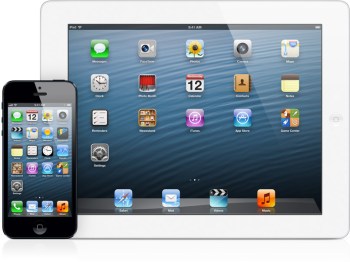
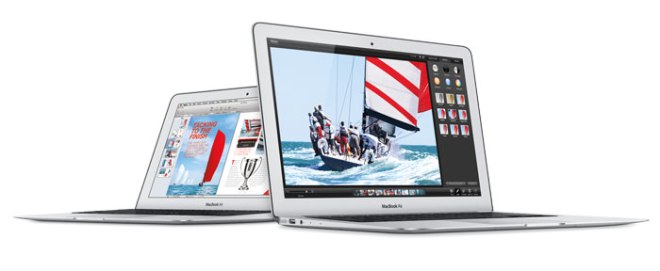
iPad and iPhoneWhen the latest upgrades to the MacBook Air were released last week, I thought I might finally break my pattern–iPad for portability, iMac for serious work in the home office–with an in-between machine that could do both. After hours of research and experimentation with the Air in various settings, I decided to wait until the autumn to upgrade the iPad, once again leaving the portable out of the mix. Why? The Air does not connect via 3G/4G, but instead requires a separate network to be established on my iPhone (clunky solution, but it works). And, to my astonishment, I actually prefer the touch screen to the keyboard when computing in a mobile environment. I sacrifice a degree of functionality for the reduced weight and increased connectivity, but then, most of my mobile work does not result in an elaborate finished product–this, I do on a computer.

I suppose that’s why the call from HP was so intriguing. Here was an opportunity to experiment with a portable computer in my daily life–something I have not done in several years, and an opportunity to experiment with a Windows computer, something I had not done in a decade or more. And, the computer would be running the intriguing Windows 8 operating system, the one with the cool colored tiles. What’s more, my sample model offered 3G/4G capability.

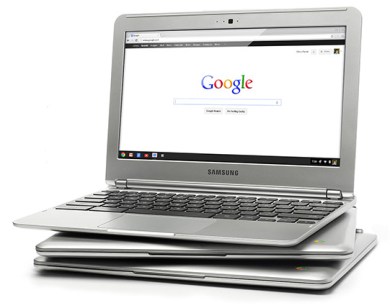
At the same time, I decided to learn more about the $250 Google Chrome portable computer sold by Samsung. It, too, offered the connectivity that the Air sadly lacks.

Keeping an open mind about new and better ways to work, I tried the HP EliteBook 2170p. The specs are similar to a MacBook Air, and the cost is about the same (around $1,000 for the basic model). It weighs less than 3 pounds–more than that seems too heavy, at least for me, to be carried everywhere–and the feature set is similar, too. There’s a light-up keyboard, an SD card slot (more versatile here, and, BTW, absent on even the latest MacBook Air), similar processor options, no HDMI slot (odd to see a VGA port on a contemporary computer, but this one is designed for older-style business use). Screen resolution is about the same, but the images on the Air are more vivid, and the type is easier to read. The 11-inch screen size is comfortable for light work, but challenging for serious word processing, spreadsheets, even word processing–and this is true for the Air as well. It’s possible to use this computer with a 3G/4G network; this feature is sadly lacking on the Air.

Windows8Today is Sunday the 16th, and I have lunch at noon. That’s easy to see on the colorful Windows 8 interface. Right now, it’s 68 degrees and it’s going to rain today. Click through for details, and the weird non-intutitive interface design returns. It’s unclear what to do next, the brief instructions are unclear and the type is often too small to read. Click once or twice more, and the whole deal looks like Windows from the turn of the century. For reasons I do not understand, several “chickets” appear on the right side of the screen. These offer a combination of settings, search, and device access–not sure why these are shown separately, but the more I dive into Windows 8, the more I come up with “why would they do it that way?” questions. I’ve now spent several hours with Windows 8. Overall, I’d give it a “meh.”
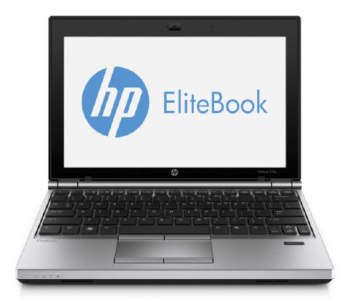
HP-Elite-BookHow about the HP Elite as an example of a contemporary portable computer? It’s okay, but the design is boxy, it’s a little heavy for the 11-inch screen it carries (the 13-inch MacBook Air also weighs 3 pounds). It offers just one operating system (Air offers both Windows and Mac for about the same price).

homepage-promo

For one-quarter of the price, I think most people would be able to accomplish most of their tasks on Samsung’s Chromebook, which costs $250 ($329 with 3G, which is very useful). No fuss: buy one today at neighborhood Staples store. This is a basic, 2.4 pound (lightweight!) portable–not fancy, but it is reasonably well-built and functional, if you limit your desire for functionality to word processing, web browsing, spreadsheets, presentations, email, watching movies, listening to music, and a few dozen other activities. The Chrome Web Store makes the selection and installation of a great many Chrome apps available for use on any Chrome computer, and on any computer with a Chrome browser installed. This level of flexibility is hard to find in the Apple world and nearly impossible to find in the Windows world–Google and its users benefit from a design approach that is totally 21st century, and, in fact, totally new in the 2010s. It’s fresh, inexpensive, and it works.

Here's a small sample of the many apps available in the Google Chrome store.

Here’s a small sample of the many apps available in the Google Chrome store.

It’s not easy being a Windows computer maker in 2013. There is so much legacy–so many enterprise interests to be served–that there is limited available space for innovation. Easy of use, portability, interoperability, slick interfaces, web app stores, these are not ideas that fit comfortably into an enterprise structure that demands standardization (new approach is focused, mostly, upon customization), a work-anywhere approach, high levels of security and reliability, rock-solid applications, and more. HP is one of many Windows-based computer makers who struggle with these issues. This situation has been made much more challenging by Apple’s elegant design and passionate user base, and, now, things are even more difficult because Google is changing the game with a far lower cost structure. And in here, somewhere, is the growing Android ecosystem–not quite as well-positioned but a significant force just the same.

Swing back around to the simple demands of getting work done in the office and at home, I think I’ll stand pat with the iPad because it weighs about a pound-and-a-half and easily connects to either wifi or 3G (my next one will be 4G), and an iMac at home with a larger screen. No, the iPad is not perfect (but I have surprised myself with its flexibility, and with my comfort level in using the touch screen almost all of the time and the accessory keyboard almost not at all). Yes, I pay more for the privilege of using the integrated Apple system. Comparables are emerging, sometimes offering features that Apple cannot or will not, but in the horserace, it’s Apple, Google, and perhaps Android, with Windows off in the distance in a post 20th century haze.

Coming in Part 2: thinking a few years into the future.

The Crossley ID Guides: Raptors and more!

hawk

Perched on a fifth floor windowsill in downtown Trenton, New Jersey, a young Cooper’s Hawk stood close enough to peer into his (or her?) eyes. A thick glass window separated the hawk from television producer Rich Renner’s camera. The hawk visited frequently. We were interested, and the bird, no less so.

I know this is a Cooper’s Hawk because the bird matches the pictures and description in a new book called Crossley ID Guide: Raptors. If Rich’s photograph included the tail feathers, I could probably tell you whether we’re looking at a male or a female bird. I know a lot more from the descriptive text: this particular bird is probably under a year old because its coloration changes after its first molt, which occurs around age one. Here in the U.S., Cooper’s Hawk is a very common bird, seem most of the year in most of the states (less so in the Great Plains, where it’s mostly seen in warmer or cooler months).

5-Sharp-Shinned-Hawk

The Crossley ID Guide has become especially popular because the birds are shown (or digitally added to) natural habitats. The birds in flight, above, are Sharp-Shinned Hawks–apparently, the adults are often mistaken for Cooper’s Hawks. Here, the hawks are flying around one of the U.S.’s most popular birding sites (home of the annual World Series of Birding), Cape May, New Jersey.

Birding, and books for birders, are more popular than ever before. This is, in part, due to interest from an aging baby boom population (especially with women), the availability of digital photography and the requisite long lenses (especially among the men), and, generally, a growing awareness of nature. In particular, the work of Richard Crossley, a long-time birder and bird photographer, has gained notice because of the inviting visual approach used in the books. The book is filled with lavish natural spreads, or composites, as above, and also with visual quizzes in which readers are asked to identify birds in flight, as below.

13-Widespread-Common-Raptors-Mystery-Plate

I especially like the Raptors book because the birds themselves are both fascinating and often present in the area where I live. When I spot a raptor flying above, I can’t help but stop and watch the bird in flight, often for quite a long time. They are very special birds, both from afar and close up, and the new ID Guide adds texture and context to their visual appeal.

The book about raptors is runs several hundred pages, but it that’s only about half as long as the weighty volume about Eastern Birds. This is a book that will entertain you all summer long, especially if you enjoy watching backyard birds, or if you’re willing to schlep this volume along on vacation. Here’s a layout of Glossy or White-faced Ibis, beautiful page after page featuring the secrets of owls in their habitats: Short-eared, Long-eared, Barred, Barn, Great Horn, Northern Saw-whet, Eastern Screech, Elf, Burrowing, and more. There are both Red-bellied and Red-headed woodpeckers, each in its own full-page layout. Chickadees, robins, thrush, various warblers, and the wonderful Little Blue Heron who seems to enjoy bathing in a creek just across from my home.

These are the birds you see every day, or sometimes, glimpse while traveling. They come alive in these layouts, making the Eastern Birds book one of the best browses around. The Crossley Raptors book has three things that the Eastern Birds book does not: first, those wonderful visual quiz layouts. the wonderful visual quizzes; second, lengthy descriptions about each individual species; and, third, my favorite part, which goes something like this:

On a frigid winter day, a mass of songbirds anxiously feeds on seed strewn in a grassy area cleared of snow, their bustling chatter discernible through the living room window. At once, they freeze, pinning themselves low to the ground in response to alarm calls from nearby jays. From the center of the yard a blue streak appears, seemingly materializing from thin air, moving swiftly toward the flock. The group scatters as a high-speed chase ensues. The small, compact hawk picks its target. It extends its long legs and talons outward and fans its long tail as it banks sharply and snatches a White-throated Sparrow from midair. The hawk disappears into the brambly thickets without moving a branch; the only evidence of the event is a plume of feathers softly floating to the ground.”

Each description begins that way: with an observer’s sense of the birds living their lives.

Special books, indeed. but don’t take my word for it. Try a free sample!

This link takes you to Princeton University Press’s FREE (yes, completely free) download of the new Crossley ID Guide: Raptors book as a .pdf, and also another free book about garden birds. Download here, then add it to your tablet or smartphone for reference wherever you happen to be.

Six Thousand Cheering Fans

MacBookAirI raced home tonight to watch two hours of programming that will never appear on television. You may not even recognize the name of the program: “WWDC2013” I don’t know how many other people watched, but I suspect it’s over a million.


It’s difficult to think of any company whose business partners are also its biggest fans. Throughout today’s Apple Worldwide Developer’s Conference, every time an Apple executive introduced a new feature, the crowd went wild–just like they do on “The Price Is Right.” Here, we’re talking about the addition of tags to file icons in the Finder menus, so the applause (which seemed genuine, and was likely not prompted by the “Applause!” signs that hang above game show audiences).

Think about this: Apple one of the top companies in the world. Twice a year, they hold an event in a large auditorium to tell partners and customers about the latest MacBook Air, or improvements in their  operating system, and they generate more excitement than the majority major league sporting events ( more press, too).

This phenomenon goes far beyond traditional product marketing or consumer behavior. On the very popular MacRumors website, which does nothing but track possible directions that Apple may go, there was a countdown clock with the number of days, hours and seconds until the big event. I checked the site at least once a day (okay, three or four times a day) to see whether anything new was posted. This is obsessive behavior, not at all reasonable, and completely dissimilar to anything else in my life. I’m hardly the only one who is engaging in this silliness.

Today, Apple announced that they now own the number one slots in desktop and notebook computer sales. Their five year growth is more than 5x the entire PC industry. Their iPad and iPhone are industry leaders. The entire ecosystem works together as one–and they’re improving their iCloud systems so that the experience is that much more satisfying, rich, and competitive. Each successful product adds to the value of the whole, not just for the company, for every participant in Apple’s supremely well-constructed and well-managed ecosystem. It’s a brilliant bit of 21st century thinking, and it’s remarkable that there aren’t a dozen other companies with similar schemes.

I probably spent more combined time with my iPhone, iPad and iMac than I do with anything else I own. They contain my creative work, my communications with just about everybody I know, my schedule, my written work… in short, they play a very significant role in my daily life. Do I have an emotional connection to these metal and plastic parts? I want to say no, but I did spend the evening watching two hours of Apple propaganda this evening (and rushed home to do it).

Is this some sort of a man-machine addiction? I do find myself at something of a loss if I’m separated from my stuff for too long. I do spend time with Apple products just as soon as I wake up and in the minutes before I head for my bedroom and sleep. And I’m not disclosing these personal habits because I think they’re unique. I suspect there are a few million people who are behaving in ways that are far more extreme than the ways I think about these tools.

I could go on, but I do have some things I want to do tonight. (No, I’m not going to stroke an iPad while I confirm tomorrow’s schedule. I’m going to watch the Samsung TV downstairs because we recorded the TONY Awards on CBS using the Verizon FiOS DVR last night when we were too busy shopping at IKEA to make it home in time for the show.) I am pleased with all of these brands because they deliver upon their promises, but none of them have managed to become a part of my life in  the way that Apple has managed to do.

Why? Mostly because the Apple stuff works so well (and if it doesn’t there’s the Genius Bar at the Apple stores, and Apple Care by phone). Nothing else I own has achieved that level of interoperability (to use a tech term). Taken individually as products or collectively as a complete system, it’s all elegant, reliable, and cool. And although my iMac tends to crash from time to time, and the iCal sync doesn’t work too tell on one of my devices, the whole thing is very, very impressive. Better, in fact, than just about anything else I own.

Balancing Technique and Inspiration

A new book about pastels from artist Jean Hirons.  If you buy it by clicking on the link (instead of buying from a more traditional source, the author earns more money for her self-published effort.)

A new book about pastels from artist Jean Hirons. If you buy it by clicking on the link (instead of buying from a more traditional source, the author earns more money for her self-published effort when you click on the book cover and make the purchase through Author House).

Ten or fifteen years ago, I decided to try my hand at pastels. That is, I bought a box of pastels, some paper, and started making bad art. At the time, there were two useful books available: Bill Creevy’s “The Pastel Book,” and Larry Blovits’s “Pastel for the Serious Beginner.” Both of these books were well-organized, and helpful, but neither provided the complete education that I wanted to pursue.

Over time, I bought more (and more) (and more) pastels, experimented with various types of paper, played with and decided that I pretty much hated fixative, bought a field easel, and started spending weekend afternoons making pastel paintings. To be honest, I didn’t much care whether each painting was worth showing to anybody; most of the paintings were wrapped in glassine (which does not smudge the painting) and placed, ever so carefully, into a box. Mostly, my concern has been learning how to pursue a creative process.

Along the way, I have bought just about every book about pastels that I could find. I’ve scoured the lists of the top publishers (then, North Light Books and Watson-Guptill, the latter now part of North Light). I’ve been inspired by the beautiful work and eye-opening creative thinking so elegantly presented by Elizabeth Mowry her two best books, “The Pastelist’s Year,” which looks at painting through the seasons) and “The Poetic Landscape,” which examines perception and the psychology of art through pastel painting. Both of Maggie Price’s books have proven very useful: “Painting with Pastels” and the more specialized “Painting Sunlight and Shadows with Pastels.” The out-of-print book that taught me ever so much was Doug Dawson’s “Capturing Light and Color with Pastel.” The more sophisticated, and modestly entitled, “Pastel Pointers” by Richard McKinley, is only part of a larger instructional program that can be pursued online or in the always-excellent Pastel Journal magazine.

Still, I wish I was just starting out today, if only to do so under the guidance of Jean Hirons and her new (self-published) book, “Finding Your Style in Pastel.”

"Antietam Barns" by pastel artist Jean Hirons

“Antietam Barns” by pastel artist Jean Hirons

From the very first image on the very first page, I sensed, I can probably do this. Immediately, my confidence level increased. A brief but substantive review of types (soft, hard) and brands (Sennelier, NuPastel) is followed by a rundown on the many surfaces (papers, mostly) now available (with running commentary on the advantages of each ground), and comments on strokes, blending, layering, and other techniques. I like the way Ms. Hirons keeps the story moving; she makes her points clearly and with the right illustrations, then moves on. (She is my kind of teacher!) There’s a lot of “show me what I need to know,” as with a quartet of small images to explain toning and underpainting (two methods of pre-painting a surface).

By page 63, she’s defining personal styles. This is, of course, what every artist wants to know. Basic techniques are fine, but how do I make my paintings my own? So begins one of the better explorations of composition, value, edges and color theory that I’ve seen in book form. As with the earlier chapters, the author does not linger; the pace remains solid, brisk and professional. Once again, two images from the artist’s online gallery help to make the point about the difference between the works of an artist who pursues a distinctive, personal style:

Carroll County Farm by Jean Hirons

Carroll County Farm by Jean Hirons

"Dandelion Spring" by Jean Hirons

“Dandelion Spring” by Jean Hirons

Same artist, different seasons, different color palettes, varying levels of edge sharpness, atmospheric color, amount of foreground detail, use of line and shape, mood, overall colorcast, color temperature, and so much more.

Hirons rarely insists upon one particular technique or approach. Instead, she runs through available options, the techniques required to achieve the desired effects, and well-chosen images to illustrate each point.

Along the way, she also addresses the questions that lurk in the back of every pastelist’s mind. To what extent do I paint the colors that I observe? How do shadows work: how dark, how much local color, how much should I shift the color temperature? How far should I go with my interpreted color? To what extent, and under which conditions, should I pursue abstraction?

Yes, there are some step-by-step demonstrations, but only a few (I’ve never been a big fan of books filled with step-by-step demos because I tend to lose interest unless I am actually painting at the same time as I am reading). Hirons uses them only in her final problem solving chapter (where they can do the most good).

In one of several appendices, the author recommends books about art, color, composition, landscapes, and, inevitably, pastels. Somehow, her list of recommended titles (which I just found as I was writing this last sentence) matches my list (at the top of this article) just about one-for-one. She adds “Pure Color,” a compendium of excellent pastel work by contemporary artists. To her list of materials sources, I would certainly add the venerable New York Central Art Supply near Greenwich Village.

Over time, self-published books can become hard-to-find (the author depletes the current stock and may or may not decide to continue to be a publisher–an especially challenging decision for an artist who is not, by trade, a publishing mogul). That’s why I always recommend that a self-published book be purchased immediately. In this case, the bound book–a 200-page, full color, very handsome paperback–costs just over $50, but the same book can be purchased for just $3.99 as an eBook. Despite my interest in all things digital, I would opt for the paperbound edition because I like surrounding myself with very good books. And this one fits, very nicely indeed, into that category.